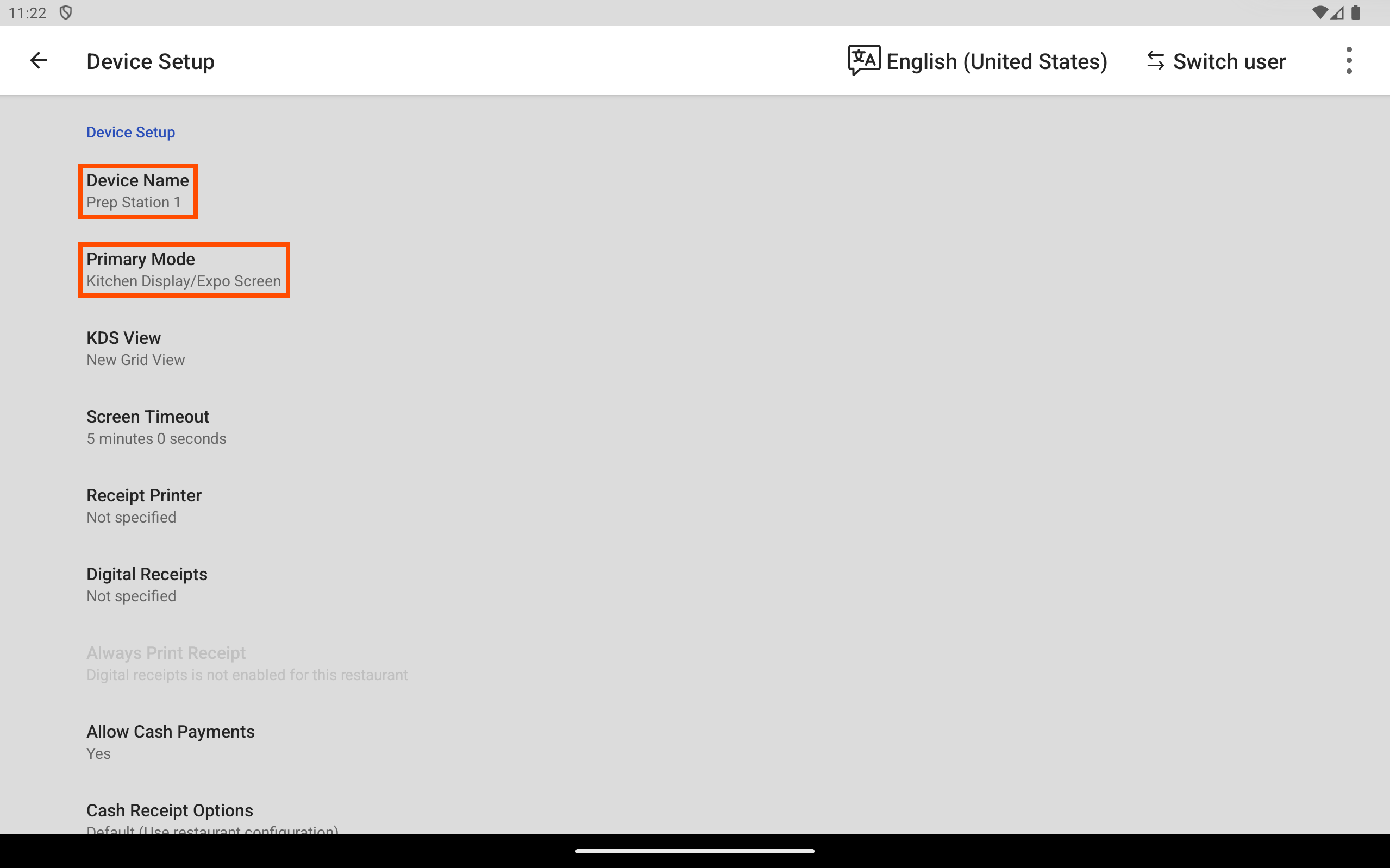
You can look up some Toast POS app device information for a device using the Toast POS app. You can also look up POS device information on Toast Web on the Device hub page.
You can find the serial number, device model name, device ID, IP address, MAC address, network name, network connection type, Toast POS app version, firmware version, and Android OS version using the Device status dialog.
To find device information using the Device status dialog
-
Access the Toast POS app.
-
Enter your passcode and log in.
-
Select the overflow menu, the ⋮ icon, on the top right. The overflow menu opens.
-
Select Device status. A dialog opens.
-
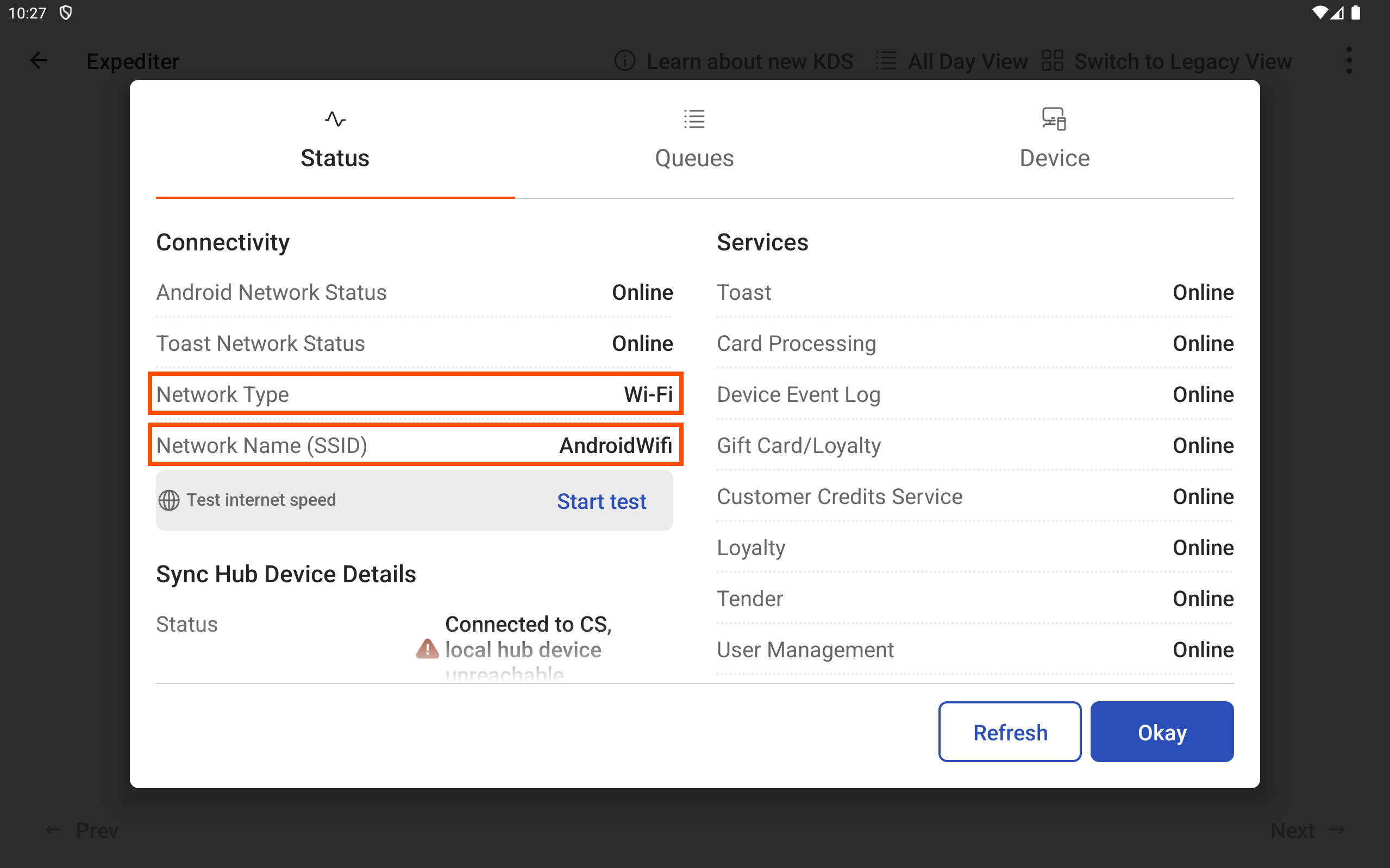
On the Status tab, to find the:
-
Network connection type: Look at the Network Type value.
-
Network name: Look at the Network Name (SSID) value.
-
-
At the top of the dialog box, select the Device tab.
-
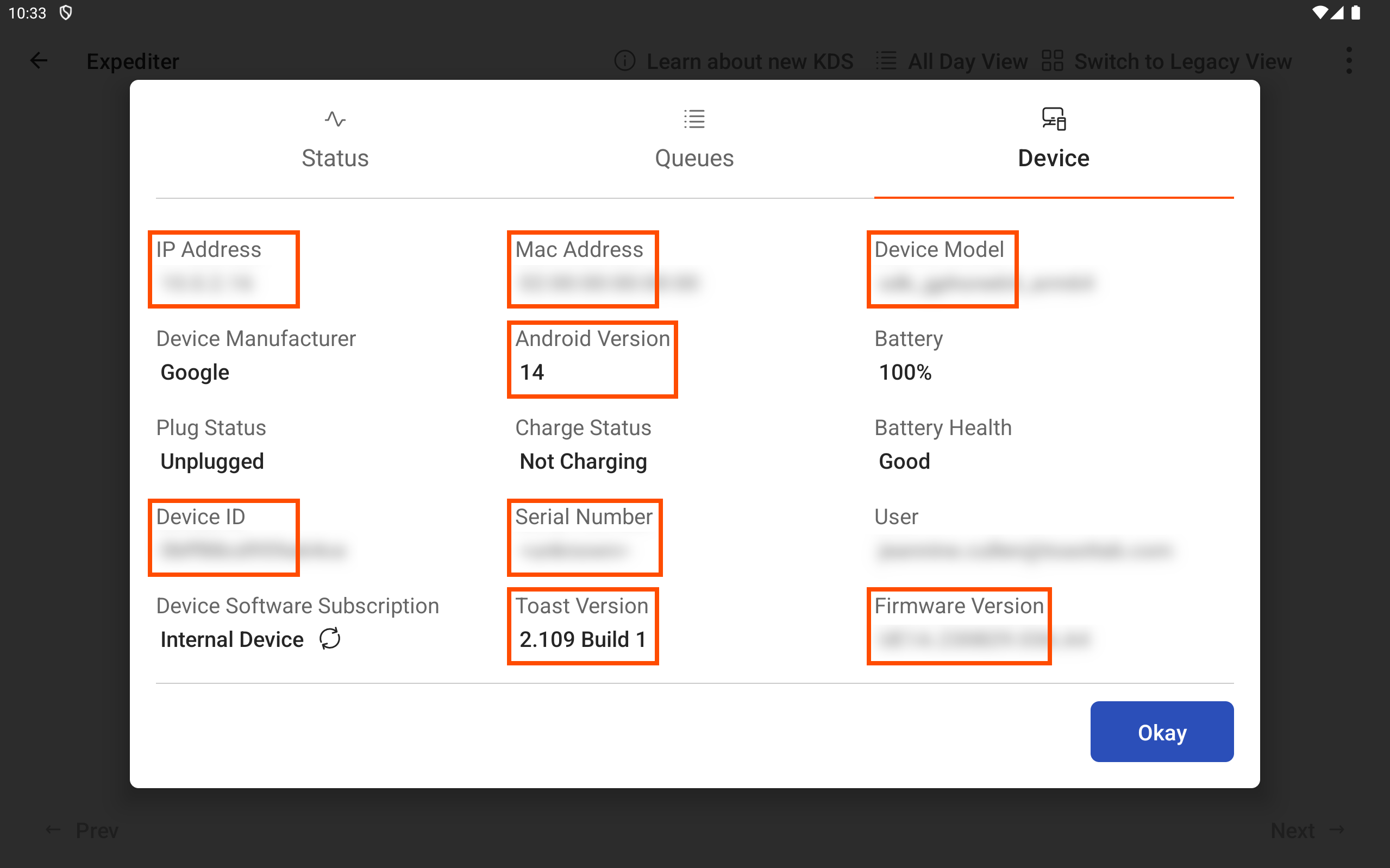
To find the:
-
Serial number: Look at the Serial Number value.
-
Device model name: Look at the Device Model value.
-
Device ID: Look at the Device ID value.
-
IP address: Look at the IP Address value.
-
MAC address: Look at the Mac Address value.
-
Toast POS app version: Look at the Toast Version value.
-
Firmware version: Look at the Firmware Version value.
-
Android OS version: Look at the Android Version value.
-
You can find the device name and primary mode on the Device Setup screen.