|
Note |
|
Cash rounding for tip payouts is in limited release and is only available for Toast POS locations in the United States. |
If you allow your employees to collect non-cash tips when completing shift review, you can configure cash rounding for those tips to round up to the nearest $0.05. For more information about completing shift review, see Completing shift review.
|
Note |
|
When tip rounding is enabled, the Toast platform gives employees the exact tip amount owed, rounded up to the nearest $0.05. For more information about cash rounding, see Cash rounding. |
Shift review is an end-of-day reconciliation process where employees collect their non-cash tips (such as credit card tips). You can configure whether these non-cash tips are paid out from the cash drawer during shift review, or paid out through payroll. Cash rounding on tip payouts only applies when tips are paid out from the cash drawer.
Before you can configure cash rounding, you need to first enable non-cash tips to pay out from the cash drawer as part of your shift review setup. You can enable cash tip payouts from the Quick shift review setup or Advanced shift review setup pages in Toast Web. For more information, see Configuring your shift review.
To enable cash tip payouts from the Quick shift review setup page
-
Go to Employees > Shift review > Shift review setup.
-
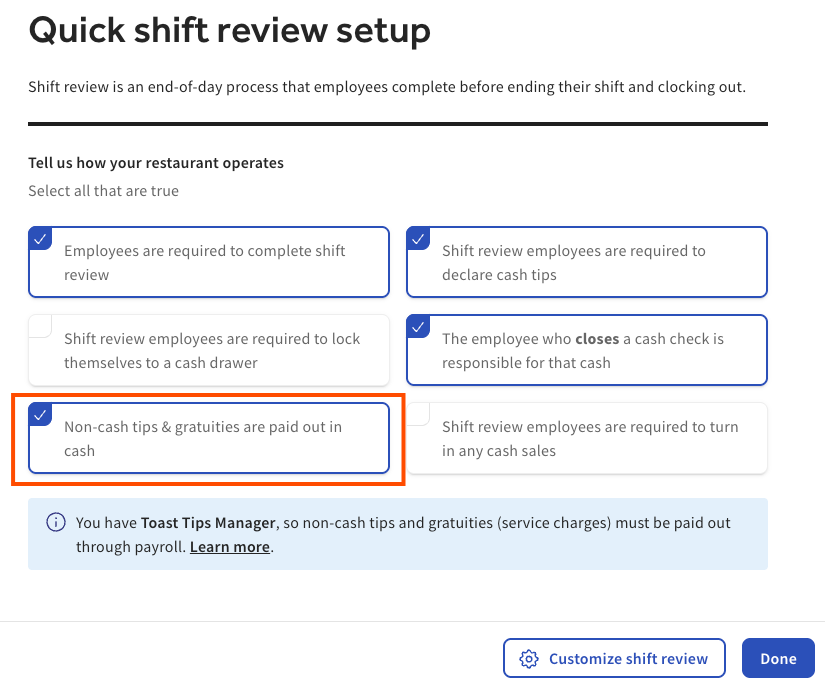
Select Non-cash tips & gratuities are paid out in cash.
-
Select Done to save your changes.
|
Note |
|
You must choose to allow non-cash tips and gratuities to be paid out in cash to be able to choose the cash rounding option. |
To enable cash tip payouts from the Advanced shift review setup page
-
Go to Employees > Shift review > Advanced shift review setup.
-
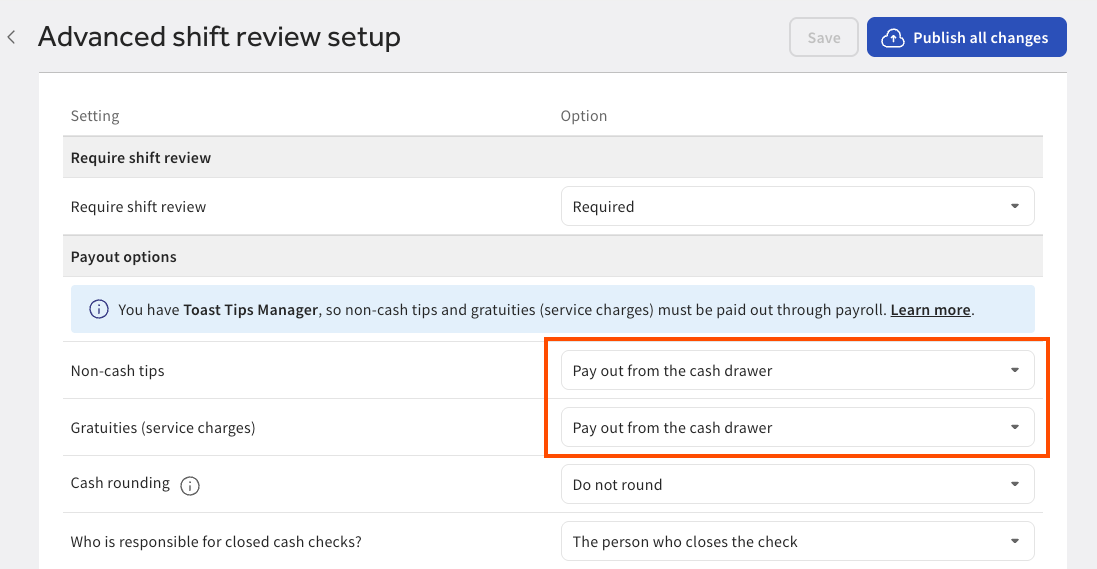
Under the Payout options heading, select the following settings:
-
Non-cash tips: Pay out from the cash drawer
-
Gratuities (service charges): Pay out from the cash drawer
-
-
Select Save to save your changes.
-
Select Publish all changes to publish your changes.
After enabling cash tip payouts, you can choose your location's cash rounding option. The rounding option determines whether tip amounts are paid out exactly, or rounded up to the nearest $0.05 to simplify cash handling and the close out process.
To choose the cash rounding option
-
Go to Employees > Shift review > Advanced shift review setup.
-
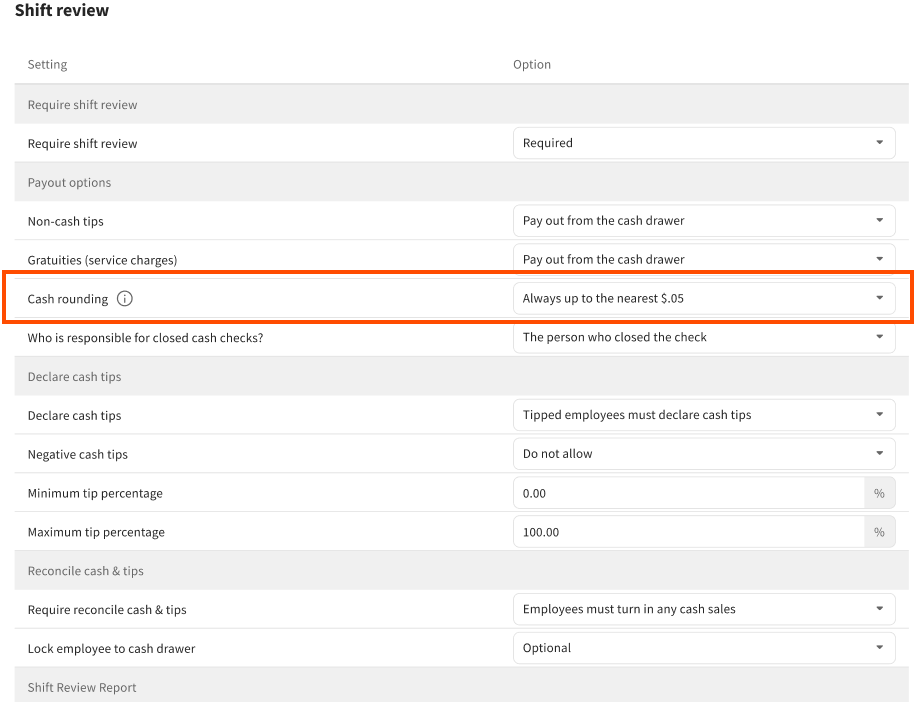
Under Payout options > Cash rounding, choose one of the following options:
-
Do not round: Employees receive the exact tip amount.
-
Always up to the nearest $.05: Tip amounts are rounded up to the nearest $0.05. For example, a tip of $11.13 becomes $11.15. This is the recommended option for simplifying cash handling.
-
-
Select Save to save your changes.
-
Select Publish all changes to publish your changes.